Press
Press and brand kit.
Everything you need to write about Perch accurately: approved copy, logo files, brand colors, product screenshots, and the facts. Use it freely. For interviews, quotes, or a question that is not answered here, email support@perchai.app.
Boilerplate
Copy you can paste as is.
One line
Perch AI is an AI agent you hand real work to, on the web, on your desktop, in your terminal and in the cloud.
Short
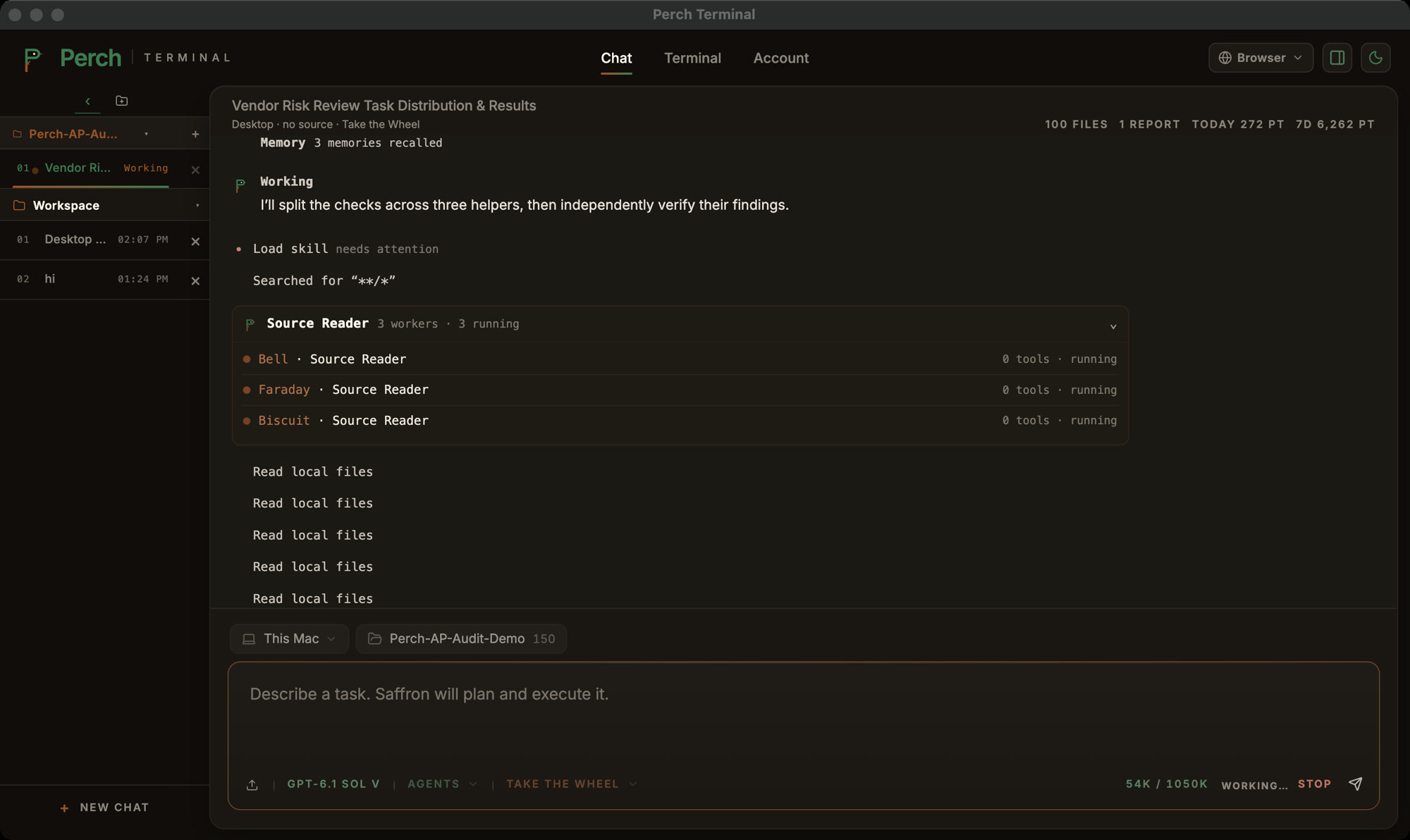
Perch AI is an AI agent you hand real work to. Point it at a folder and describe the outcome: it plans the work, reads the files, runs the commands and checks the result before it answers. On the hardest jobs it splits the work across a team of agents and has a verifier catch mistakes first.
Long
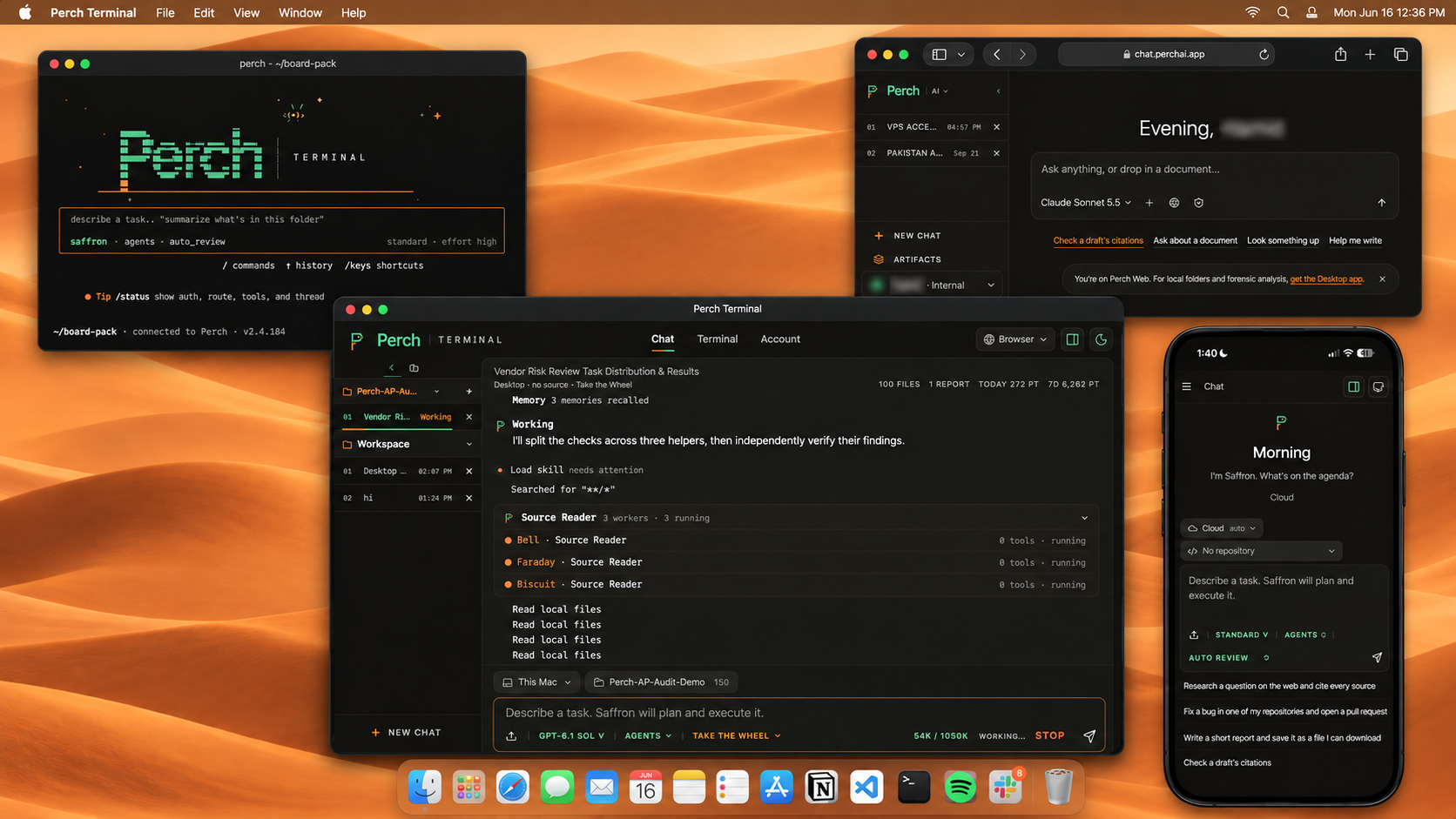
Perch AI is an AI agent for people who hand over whole jobs rather than single questions. It works from the files you point it at, runs the commands the job needs, and checks its own result before it reports back. On the hardest work, Flock plans a custom team of agents, runs them at once and has a verifier catch and fix mistakes before you see an answer. One account spans the surfaces where the work happens: Perch AI Web in the browser, Perch Terminal Desktop for macOS, Windows and Linux, the Perch CLI in any terminal, cloud agents that keep going with the laptop shut, and Remote Control from a phone. Perch Roost picks a capable model for each task, or you pin one by name, and most of the work runs on open models Perch serves on its own GPUs. What that teaches the team about models, hardware and serving gets published as research.
Fast facts
The essentials, in one place.
- What it is
- An AI agent you hand real work to. It reads your files, runs the commands, splits big jobs across a team of agents and checks the result before it answers.
- Taglines
- Agents that finish the work. A team of agents that finishes the work.
- Surfaces
- Perch AI Web (chat.perchai.app), Perch Terminal Desktop (macOS, Windows and Linux x64 in beta), the Perch CLI (Node 22 or newer), cloud agents that keep working with the laptop shut, and Remote Control from a phone.
- Plans
- Starter (free, no card), Pro (USD 10 per month during Early Access, list price USD 20), Ultra (USD 30 per month), and Enterprise (custom). Every plan can run on the user's own API key.
- Capabilities
- Flock multi-agent runs, sub-agents, Routines on a schedule, cloud agents, Remote Control, CLI agents (Claude Code and Codex inside Perch on Pro and Ultra), Artifacts, an agent-driven browser, voice, web search, deep research, local models on the desktop, Perch Roost model routing, and MCP support.
- Website
- perchai.app
- Press contact
- support@perchai.app
Logo
The Perch mark.


Do
- Keep clear space around the mark equal to the height of the glyph.
- Place the glyph on a solid background with enough contrast.
- Use the glyph and wordmark files provided here as is.
Do not
- Recolor, stretch, rotate, or add effects to the mark.
- Rebuild the wordmark in a different typeface.
- Place the logo on a busy background that reduces legibility.
Color
Brand palette.
Patina green
#2f5e43
Primary. Wordmark and links.
Patina active
#3d7a52
Interactive and highlight.
Copper
#9a5228
Accent.
Ink
#100d0b
Dark background.
Paper
#fff8f0
Light background.
Contact
Talk to us.
For press, partnerships, or a briefing, email support@perchai.app. You can also follow along on X, LinkedIn, Facebook, and Discord.